
Can I try a server before buying or switching providers?
Yes. Every Fast-BGP dedicated server is available for a free 48-hour trial, including dedicated servers in Hong Kong. You get an actual server to try, not just a test IP. No deposit, no approval process and no additional conditions apply. Cloud servers are not covered.
Contact sales to request a 48-hour dedicated server trial →This opens the sales contact page. Sales will help arrange the trial; clicking does not provision a server or place an order.
- Tell sales which product you want to try and what you need it for
- Get access to the actual trial server
- Test from your users’ networks
- Use your records to decide whether to buy
Ask for an authorized test target for the product and route you are considering. Test from your users’ networks, record the time, destination IP and application experience, then compare candidates under similar conditions. A ping to the provider’s website or one unusually low latency reading is not enough to choose a server.
Match the test target to the product
Start with the right test target
AI concept illustration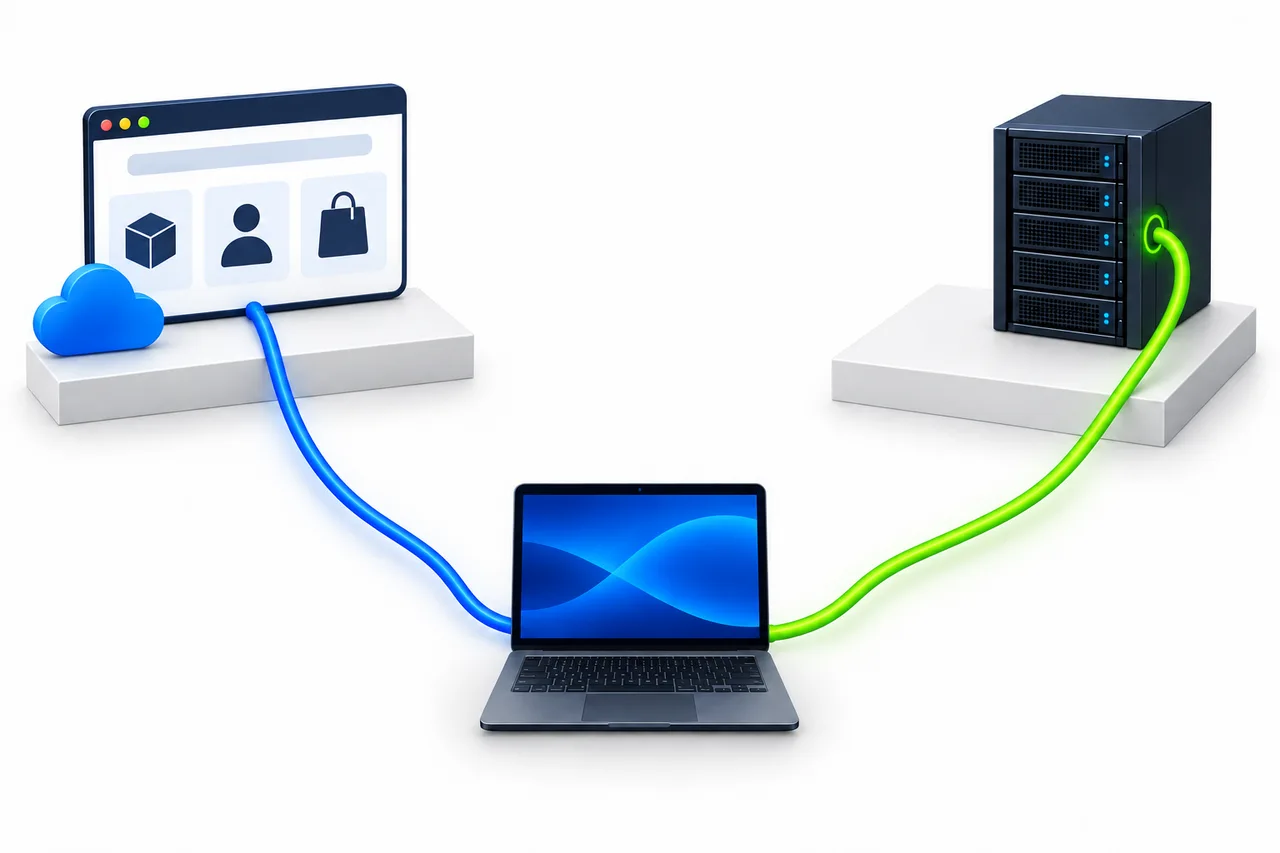
- Left · Public website
- Browsing, login and purchasing. Its performance is not a substitute for testing the product route.
- Right · Product test target
- Confirm the product and route option it represents before running authorized tests.
Concept only, not Fast-BGP’s actual deployment topology. Confirm test targets in product documentation or with an advisor.
Send the provider the product name or link, including the region, route and bandwidth option. Ask:
- Which product and delivery region does this target represent?
- Which route and bandwidth option does it cover? Does it still apply if I change an option?
- Is it a dedicated test node, or does it share certain network conditions with the product? Which conditions?
- Which tests are allowed: ping, MTR, a trial or a download? Are there frequency, traffic or time-of-day limits?
- What may differ between the test node and the instance that will be delivered?
The provider’s website may run on separate hosting or a CDN, a content delivery network. Its path is not a substitute for the product’s route.[1] A test node cannot guarantee every aspect of a future instance either. Keep the stated relationship and differences with your notes.
Why isn’t a test IP enough on its own?
An address identifies a destination. Without the product, route option and test conditions, you do not know which offer the result applies to. Keep the provider’s description so you can check it before ordering.
Start with your users’ networks
Record four things: audience regions, access providers, usual access times and intended operations, such as loading pages, calling an API or opening remote connections. Your office location may not be where your customers are.
What should you check during the 48 hours?
- List your main audience locations and access providers, then test from those networks where possible.
- Include normal usage periods and busy times. Record the time zone as well as the time, not just the run with the lowest latency.
- Run bounded Ping tests for responses. Use MTR for hop statistics when investigating an issue.
- Try your actual workload on the server: pages, APIs, remote connections and other operations you expect to use.
- For throughput tests, use permitted files or endpoints and record whether the test uses one connection or several. Do not test against unauthorized targets.
Keep the target, time, source location and provider, method, sample size and full output for each run. Public probes provide another viewpoint; they do not replace tests from your users’ connections.
Primary observation
User device and access network
Product-specific test target
Additional perspective
Public probe and its access network
The same test target
Check usability, then latency and the path
Application experience
Use a demo, trial or other explicitly authorized access to check the pages, APIs or remote connections you intend to use.
If all you have is a test IP, record the network probes you performed. Do not claim that application performance was validated.
Ping
Observe replies, round-trip times and loss within the sample.[2]
Ping does not measure download speed or directly establish available bandwidth.
Compare online and local ping →MTR
Use it when investigating an anomaly or when you need hop-by-hop responses and statistics.[3]
A lossy intermediate row alone does not establish a route fault.
Read intermediate-hop loss →These checks answer different questions. They are not a pass-all certification, and there is no single acceptable-latency threshold for every workload.
For a download test, obtain a file or endpoint the provider permits you to use, then follow its transfer, frequency and time limits. The Fast-BGP network tools do not offer a download-speed test.
How fast can you download on a 100 Mbps connection? →Open network tools and select Ping or MTR as needed →Compare candidates on comparable terms
Different products will usually have different test IPs. They do not need to share one address. Check that the target is identical when comparing two test sources, such as your connection and a public probe, against that same destination.
- Record each product, region, route and bandwidth option.
- Use the same access network where possible. Record each actual destination IP and whether it is IPv4 or IPv6.
- Test at similar times, then make a few bounded rechecks during relevant usage periods.
- Keep the method, sample size and known differences, alongside the application experience.
Keep raw output and complete screenshots with the time, target, source and sample size. A screenshot of the lowest latency leaves out essential context. Mark untested items as “not tested,” do not turn missing values into zero, and do not publish account credentials.
When results disagree, check the conditions
What you see · 1
Public probes look good, but local use is disappointing.
What to do
Check how the source networks differ, then validate the actual operation from your users’ connections.
What you see · 2
One run looks good; another is worse.
What to do
Keep both timestamps and conditions. Make bounded rechecks at relevant times rather than choosing the lowest reading.
What you see · 3
Network probes look normal, but the application is slow.
What to do
Investigate application processing and server resources too. The network results cannot explain the entire problem.
Resolve the open questions before ordering
- How the test target corresponds to the selected offer.
- The delivery region and route option.
- Bandwidth, transfer allowance and relevant restrictions.
- Differences between the test node and the delivered instance.
- Use the free 48-hour trial for any dedicated server, including Hong Kong; cloud servers are excluded. Match your trial records to the configuration and route you plan to buy.
Resolve the open items in your notes before ordering. The free trial is separate from post-purchase refunds, renewal arrangements and delivery terms; it does not establish any of those conditions.
Trial questions
Is the trial free? Is a deposit or approval required?
The 48-hour trial is free. There is no deposit, approval process or additional condition.
Are Hong Kong dedicated servers included?
Yes. The offer covers every dedicated server, including those in Hong Kong.
Can I use this offer for a cloud server?
No. This 48-hour free trial applies to dedicated servers only.
How is a test IP different from an actual server trial?
A test IP is a destination for network probes; it does not show how your own application will run. An actual server trial lets you check application operations alongside the network results. A trial is still an observation period, not a guarantee of performance at all future times.