
Loss at one intermediate hop is not enough to diagnose a fault. Check the destination first, then whether the same pattern continues through later hops. A device can forward traffic without replying to a diagnostic probe.
Open network tools and select MTR →What does a row measure?
A hop is a routing node along the path. MTR combines hop-by-hop probing with repeated statistics. It varies the packet hop limit to obtain replies from different points, then records responses and round-trip times for those probes.[1]
Rows describe separate probes, not a single packet’s complete journey. Do not add their loss percentages together. Check the destination IP shown in the result: if the trace did not reach it, the last displayed row is not the destination.
| Field | How to read it |
|---|---|
| # | The hop’s position in the returned list. |
| IP / Host / ASN | The node’s address, hostname and Autonomous System Number, which identifies a network. Missing upstream details are not invented; a missing address is shown as “*”. |
| Min / Avg / Max (ms) | Minimum, average and maximum round-trip times in milliseconds. An unavailable statistic is shown as “—”. |
| Loss | The share of probes without a reply. It is not directly a measurement of the device dropping application traffic. |
The current tool requests three ICMP packets per hop. ICMP is the Internet Control Message Protocol, used here for diagnostic probing. The table has no separate actual sent or received packet count. If a test is incomplete, do not assume every hop has finished its three-packet sample.
Why can a lossy hop be followed by responsive hops?
Forwarding and diagnostic replies are separate
AI concept illustration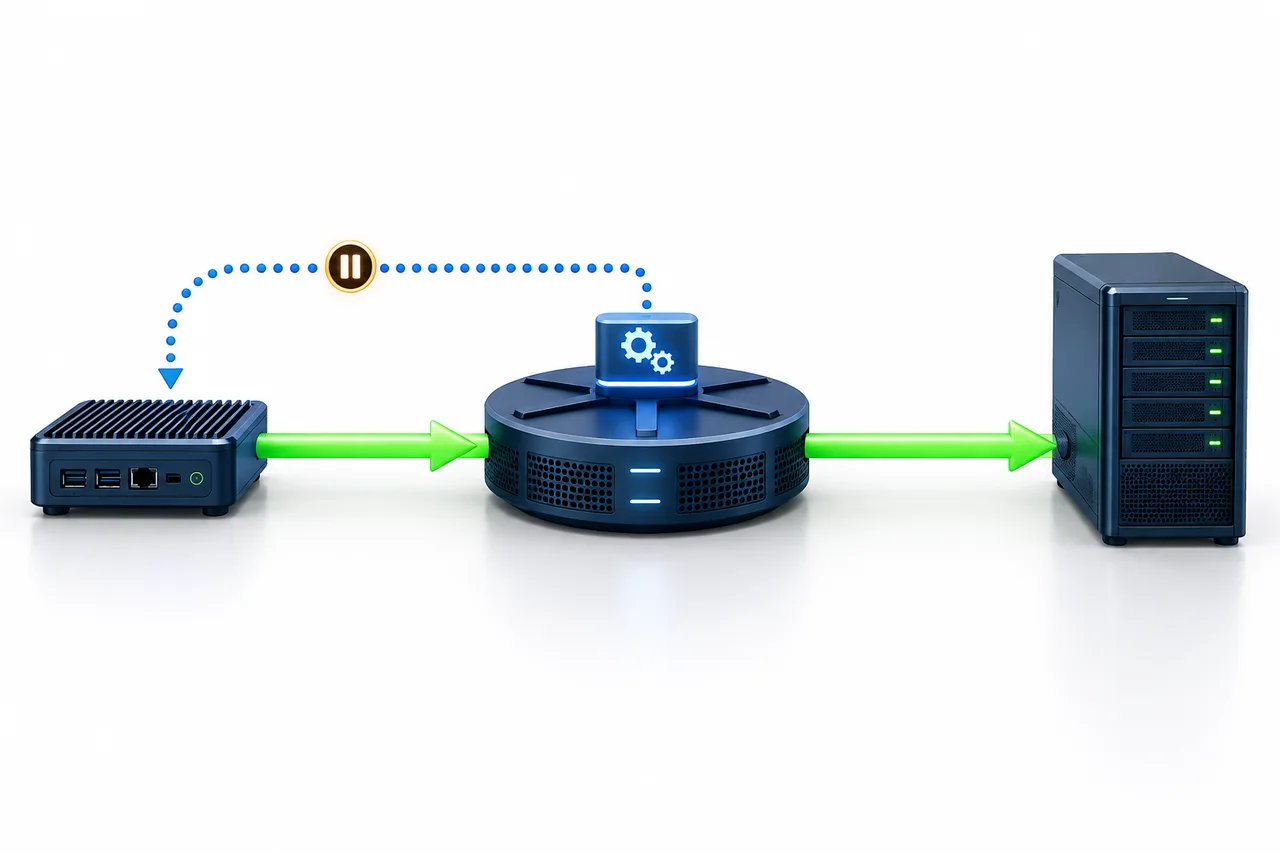
- Green · Transit traffic
- The device may still forward traffic through it.
- Blue · Diagnostic reply
- Responses may be limited or not received.
A possible explanation, not a diagnosis. Missing replies do not directly measure lost application traffic.
Forwarding traffic through a device and generating diagnostic replies are separate operations. A router may give diagnostic responses lower priority, limit their rate or decline some probes while continuing to forward other traffic. Both the MTR manual and router standards describe this distinction.[1][2]
An intermediate row with 100% loss followed by replies from later hops therefore does not establish that the device dropped all transit traffic. Response limiting is a possible explanation, not a confirmed diagnosis. Check the destination, later hops and the service itself.
Three patterns you may see
These are illustrative reading scenarios, not measured results or reports for a server product.
High intermediate loss, with no observed loss later or at the destination
This alone does not establish a forwarding fault at that hop. Save the full result, repeat bounded checks at other times and look for actual application symptoms. A healthy destination result in a short sample does not guarantee every time period or traffic type is healthy.
Repeated loss from one point onward, including the destination
Investigate this pattern, particularly when connections also drop or downloads become unstable. It does not identify a responsible router, provider or server by itself. Replies may take different return paths, the route can change during measurement, and response handling affects the statistics.[3]
No destination reply, but the website or application works
Application: still usable
The destination may not answer the current ICMP probes. Check the real service connection and functionality, and record when symptoms occur. Missing diagnostic replies alone are not grounds for declaring the server down.
How much can three packets tell you?
1 ÷ 3 ≈ 33.3% loss
Sample calculation only: one missing reply out of three produces a large percentage. It does not establish the long-term loss rate.
A 0% reading means only that this sample observed no loss. Keep missing replies, missing values and incomplete tests separate: 100% is a returned loss statistic; “—” means the statistic is unavailable; “*” in the address position means no address was returned, not a loss percentage.
A probe marked “Testing” may still update. “Incomplete” is not a finished measurement. If the polling limit is reached, the page reports that the test has not fully finished and retains available data; a failed request can stop the wait earlier. A page-level timeout does not mean every probe packet timed out at the destination.
For a recheck, run a few bounded tests at different times and save each full result. Do not run indefinitely or repeatedly refresh in search of a better number.
When latency spikes at one hop
If a hop’s latency rises and later hops return to lower values, that does not establish that it delays all traffic beyond it. Handling the diagnostic reply can itself add waiting time. If the increase persists through later hops and the destination, compare other test times and the application symptoms.
Each row measures a round trip from the probe to that node and back. Replies from different nodes can take different return paths. Subtracting adjacent rows does not give an accurate delay for the link between those two devices.[3]
Where this measurement starts
Fast-BGP MTR runs on Globalping public probes.[4] The current choices are Asia, North America and Europe, with up to three probes and three ICMP packets per hop. There is no city, ISP or fixed-probe selector, nor an adjustable packet-count control.
A public probe is not your device and does not automatically represent the route of a Fast-BGP product. Record its city, country and network organization, plus the destination IP, measurement time and configured sample size. “An Asian probe” is not a sufficient description of the conditions.
For comparisons with your own connection, see the online-versus-local ping guide rather than treating the two observations as the same path.
What to keep when reporting a problem
- The complete result, including later hops and the destination, not just the row that looks abnormal.
- The time and time zone, and the actual destination IP.
- The probe’s city, country and network organization, plus the configured three packets per hop. Note if the result is incomplete.
- The application symptom: a page that will not load, a dropped connection or an unstable download, and when it happened.
- Whether the pattern repeats at other times and whether access from other networks is affected.
You can copy the report or download a report image. The current exports retain average latency and loss for MTR hops. If minimum or maximum latency matters, also save screenshots of the full expanded table.
For an existing service, provide the product and route details through the customer-center ticket system or your established support channel. Do not publish passwords, keys or other access credentials. Before purchase, use the supplier’s test destination for the intended product; the supplier’s website is not a substitute for that route.