
FAST-BGP NETWORK LAB
IPv6, WebRTC and DNS leak checks: compare exits and evidence
Compare HTTP exits, IPv4/IPv6 and WebRTC/STUN candidates. Separate DNS resolver observations from PTR lookups, and interpret different exits, timeouts and unknowns when troubleshooting AI-tool networks.
If a webpage shows the expected exit, does every connection use that route? Not necessarily. Web requests, IPv4/IPv6, WebRTC and DNS need separate observations, each with its own scope.
To assess an unexpected exposure of address or resolver information, define the intended path and then inspect the evidence. Missing results or browser-hidden addresses alone cannot prove the absence of leaks.
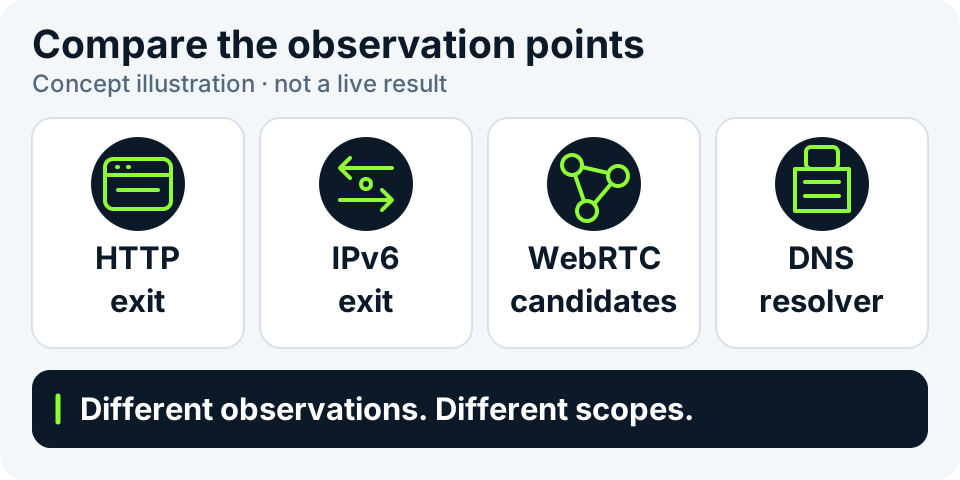
Separate three kinds of observation
A report can combine different measurement origins. Mixing them can make an ordinary resolver or connection candidate look like the device’s active public exit, even though that has not been established.
| Observation | Main question | Scope to retain |
|---|---|---|
| Web exit and IPv4/IPv6 comparison | Which address delivered a particular request to the observer? | Observer, address family, time and whether the request succeeded. |
| WebRTC candidates | Which candidates did the browser provide during connection setup? | Candidate types, browser policies and whether a connection was established. |
| DNS resolver observation | Which resolvers delivered this test domain's queries to the observer? | Association with this run/domain, time and resolver evidence. |
Gather evidence with each check the page offers
“Check current environment” identifies this HTTP request's exit at the test site. Basic attribution also supports specified public IPv4 and IPv6 addresses. Looking up an IPv6 address does not test this device's IPv6 connectivity.
When public HTTP exit checks are offered, choose ipify or icanhazip and click “Observe public exits”. If a WebRTC check is offered, separately click “Observe WebRTC candidates” for a Cloudflare STUN mapping. Switching providers does not start a query. A missing button, no candidates or a timed-out request must not be marked normal. Our DNS resolver and signed probes are not connected.
These results cover only their respective requests in this run. They are not a certificate of no DNS leaks, hidden IPv6 or complete WebRTC safety. Read the webpage exit, IP-quality data and AI-site connection observations separately; one completed item does not make the others pass.
What common result states actually mean
These illustrative states explain possible meanings, not real user measurements. Completion depends on this run's actual results; DNS resolver observation remains unconnected.
| Example result | What it establishes | What it does not establish |
|---|---|---|
| IPv4 result available; IPv6 timed out | The IPv4 observation completed; IPv6 did not complete in this run. | That the device has no IPv6 or that IPv6 cannot expose information. |
| Different exits for the two address families | Different addresses were seen by those observers. | A leak based only on different countries; the intended routes still matter. |
| WebRTC returned mDNS names | Some local candidates were represented as names in this run. | That all public connections are hidden or no other exposure path exists. |
| WebRTC returned local candidates | The browser provided local connection-setup information. | An internet connection through that address or a definite proxy leak. |
| No DNS observation records | No usable resolver evidence was obtained in this run. | That no query happened or that DNS cannot leak. |
| Unsupported, restricted or failed check | That item cannot support a conclusion in this run. | That the incomplete item passed. |
Make repeat checks comparable
Repeat checks should identify a specific change, not make every tile green. For managed networks, ask the administrator to explain the expected behavior first.
- Record device, browser, network and time, and define which connections should use which route. Do not record or share proxy passwords.
- Check this webpage's exit, then verify whether each separate observation actually completed. Retain unsupported, timeout and disabled states.
- Confirm that comparisons concern the same run and target. Expired resolver records or records from another run cannot fill gaps in this one.
- Change one condition at a time and repeat. If a difference appears only in one browser or network, keep that scope instead of generalizing to all devices.
- Share redacted evidence and the intended path. An application's actual connection still requires verification on the device running that application.
Candidates are not a record of the final connection
WebRTC prepares different candidate types. Host candidates, mapping information learned through STUN and TURN relay candidates have different meanings. A candidate list is not a complete record of an established connection.
Browsers can represent local candidates as mDNS names or restrict the information they expose. Hidden names alone do not rule out leaks, while local candidates alone do not establish that public traffic bypasses an intended route. Without STUN or actual connection evidence, keep the unverified scope explicit.
A DNS resolver observation is not a PTR hostname
A PTR lookup asks whether an IP has an associated hostname. Resolver observation asks which resolvers delivered this run's queries to the observer. They are different tasks; a PTR name or missing PTR cannot substitute for a leak observation.
A resolver's location is not the location of your device or facility. If its region differs from the exit's, review the resolution method, observation scope and intended policy rather than declaring an error from geography alone.
Start a new check after changing networks
After switching Wi-Fi, mobile networks or proxy paths, results already on the page still belong to the earlier observation. Start the relevant checks again and compare target, time, source and address family. Do not combine a new HTTP exit with old STUN candidates as if they came from one run.
Stopping a check means no later results from that run will be accepted, not that it completed. If one item fails, keep the other successful observations and retry as the page directs. Rapid repeated clicks do not improve evidence and may trigger public-source limits.
Keep evidence without unnecessary address details
When sharing, prioritize execution state, time, source and address family. Review and mask complete public addresses, local addresses, mDNS names and connection credentials. One panel's masking control does not cover the whole page; inspect copied text and screenshots. Label synthetic examples and development previews rather than presenting them as evidence about a customer's route.
An HTTP or STUN observation exposes that connection's exit to the service; public-probe diagnostics also send the target to the probe service. Local display does not mean every network check stays inside the browser. These observations cannot establish residential status, dedicated allocation or Claude / ChatGPT access; verify actual applications on their own devices.