
A backup file does not establish that you can recover the service. Check whether the application files, database and configuration are complete, whether the recovery point is useful, and whether a restore has been tested. A copy kept only on the original server can be damaged along with the live data.
List what the service needs to run again
Recovery material for a website · illustration
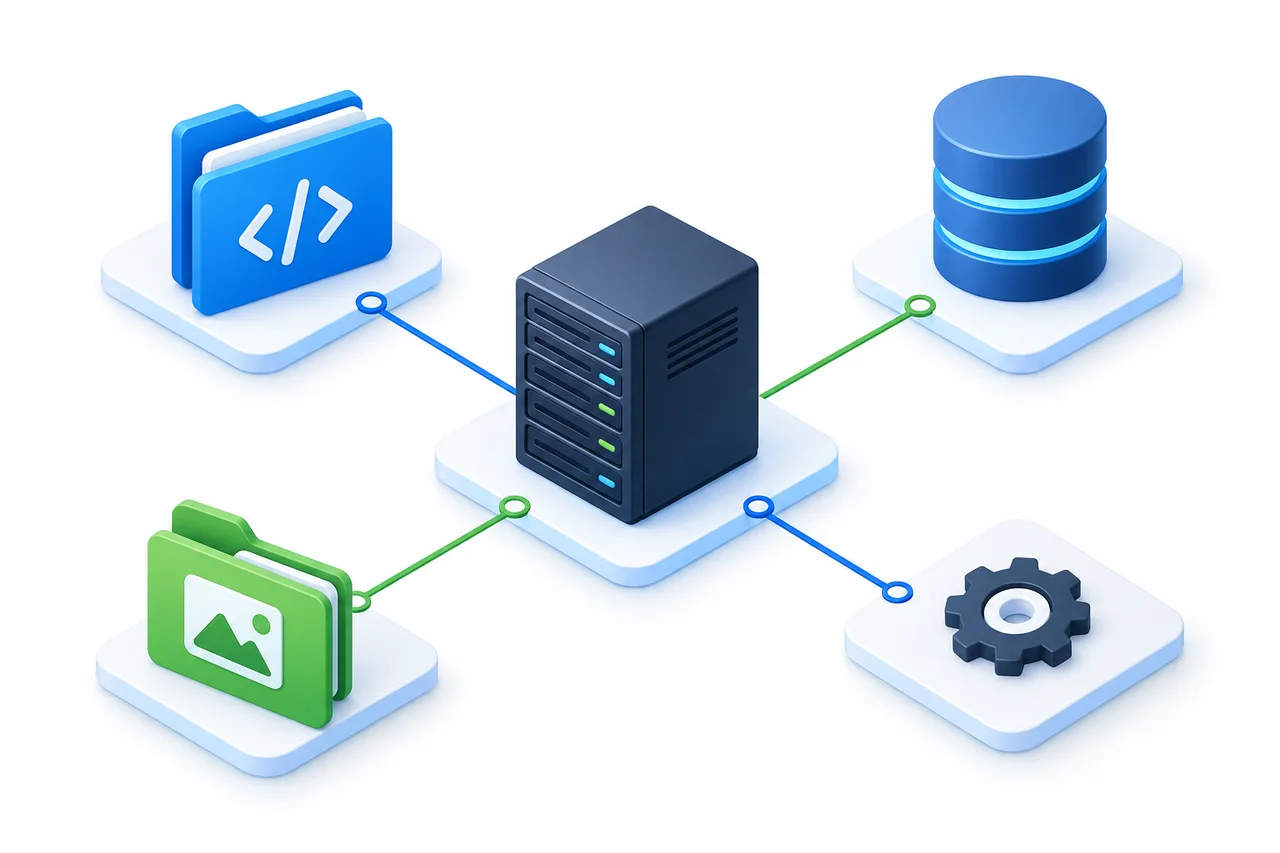
- 01Application files
- The application version, themes, plugins and any files you have modified.
- 02Database
- Business records, accounts and the data the application uses. Check scope and backup time.
- 03Uploads
- Images, attachments and user-generated files may live outside the application directory.
- 04Service configuration
- Startup settings, application configuration, scheduled jobs and deployment material.
Component illustration, not a Fast-BGP backup product. Connections do not indicate automatic backups, and one component does not replace the others.
Adapt the inventory to the application; not every service has all four components. Keep software versions, environment requirements and deployment steps. For external storage or services, record the dependencies and the conditions needed to restore access.
If certificate private keys or access credentials must be backed up, restrict access and protect them with appropriate encryption. Keep the decryption material under controlled access as well. Do not publish these files or send them through an ordinary support ticket.
Where the copy lives changes the risks it covers
A disk failure, mistaken command, reinstall or compromise may affect both live data and a local copy. Another directory on the same server remains within that server’s failure boundary.
Same server
Live data
Local copy
Both copies remain exposed to a failure of this machine.
Separate backup location
Original server
Separate storage
Separate locations reduce the chance of one incident damaging both copies.
Set the schedule around two time requirements
How much recent data can you afford to lose?
Use that requirement to check the interval and the age of the last successful backup.
How quickly must the service return?
Include retrieval, environment setup, data import and functional checks.
These requirements describe acceptable data loss in time and the recovery-time objective.[1] A busy order database and an infrequently updated information page may need different schedules. Set the frequency from the workload’s requirements and what testing shows is achievable.
Keep more than the latest recovery point. A recent backup may already contain a deletion or bad data. Establish when the problem began and whether an earlier copy is still readable before choosing a recovery point.
Use a backup method supported by the database and version. Copying an active data directory is not a universally reliable approach. PostgreSQL, for example, documents specific requirements for ordinary file copies, complete backup scope and consistent snapshots.[2]
Check the scope, not just the word “snapshot”
A file copy may cover selected directories only. A snapshot’s scope depends on the service and the operation used. Check disk coverage, application consistency, storage location, retention and whether recovery is possible independently of the original instance. Neither “snapshot” nor “backup” answers those questions by itself.
What does application consistency mean?
The recovered data must remain usable and internally consistent for the application—for example, database records should match their attachments. Amazon EBS documentation says a volume snapshot includes data written to the volume, not data still cached by the application or operating system, and describes consistency precautions.[3] Those are rules for that service, not every snapshot product, and this guide is not an instruction to stop a production service.
Why complete-looking files may not be enough
Illustrative situations, not customer incidents.
Only the website files were saved
- What is missing or conflicting
- The database or uploads are missing. The code remains, but business content is incomplete.
- Next check
- Check the application inventory for database backups, attachment directories and their recovery points.
All the files exist, but the app will not start
- What is missing or conflicting
- Application or database versions, dependencies or configuration differ from the original environment.
- Next check
- Identify the original versions and startup procedure, then validate in isolation.
The old backup works, but new data exists
- What is missing or conflicting
- Restoring it directly may replace records created or changed after the backup.
- Next check
- Preserve the current data first. Decide what to retain or reconcile before choosing the restore scope.
Try a restore in an isolated environment
Readable files and matching checksums establish only the file checks you performed. They do not establish that the service runs. A recovery exercise should check the data and application, and record the time required.[1]
- 1.Record the backup time, scope, completion status and any failures or omissions.
- 2.Check readability and run the integrity checks required by the backup method.
- 3.Restore into an environment isolated from production, using compatible software and configuration.
- 4.Check important records, attachments and functions—not just whether a process starts.
- 5.Document the steps, dependencies, problems and approximate elapsed time for the next review.
Disconnect real notification and payment integrations, disable jobs that could run twice, and prevent writes to production databases or files. Restrict access to sensitive test data too. This guide does not provide a one-click restore command.
Check these items before a real recovery
A static reading checklist, not approval to execute a restore. This page does not save selections.
- 01Recovery point
- Which complete backup predates the problem?
- 02Replacement scope
- Which files, databases or settings will be overwritten?
- 03Newer data
- How will you preserve it, and does any of it need reconciliation?
- 04Versions and dependencies
- Do the application, database and runtime match?
- 05Destination
- Will you restore in place or into a new environment first?
- 06Responsibility and timing
- Who will execute the work, when, and who will verify it?
- 07If validation fails
- How will you stop the switch, preserve evidence or return to the original environment?
What to send when asking Fast-BGP for help
Current Fast-BGP service terms assign applications, data and backups to the customer. Base services do not include technical troubleshooting, software configuration or managed operations. Use a client-area ticket to check orders, resource delivery or expressly agreed services. Any service included in an existing order follows that agreement; this guide does not imply that Fast-BGP will perform data recovery.
- Service identifier or the product involved.
- When the issue began and what operations preceded it.
- The time, type and known completeness of available backups.
- What you want recovered and whether current data would be overwritten.
Do not disclose passwords, private keys or backup-download credentials in the ticket. Reporting a problem is not authorization to overwrite data; agree on scope and timing before execution. This guide does not promise included backups, free recovery, a successful outcome or a fixed completion time.